Notes / esphomehome-assistantesp8266nodemcudht22iot
DHT22 temperature/humidity sensor on a NodeMCU 0.9 with ESPHome and Home Assistant
Wiring and ESPHome YAML for a DHT22 on an old yellow NodeMCU 0.9 board, feeding Home Assistant. USB uploads failing with "Upload with baud rate 460800 failed" were fixed by disconnecting the sensor while flashing.
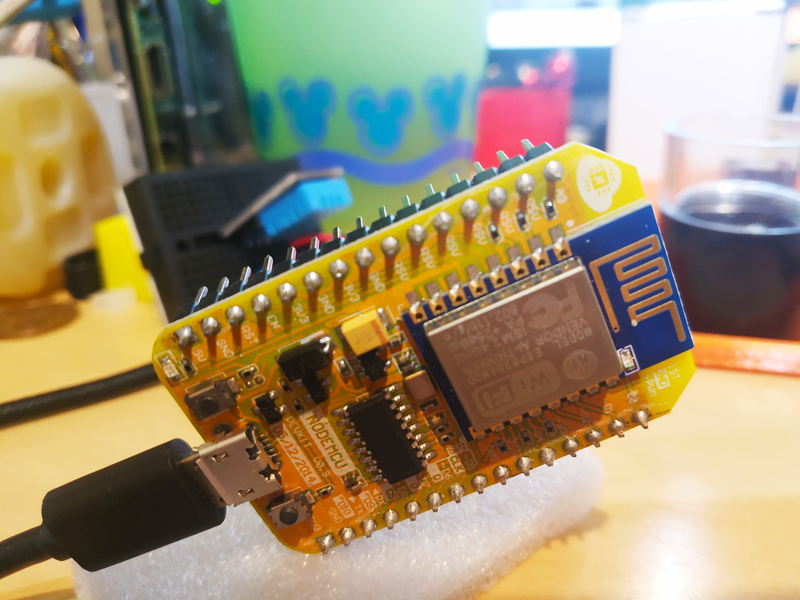
Setup #
In Home Assistant's ESPHome tab create a new node. For the device type pick Other ESP8266s → NodeMCU 0.9, add Wi-Fi credentials, then edit the YAML. The DHT sensor docs list the options.
yamlesphome:
  name: node-mcu-09

esp8266:
  board: nodemcu

wifi:
  ssid: "your-ssid"
  password: "your-wifi-password"
  ap:                              # fallback hotspot if Wi-Fi fails
    ssid: "Node Mcu 09 Fallback Hotspot"
    password: "fallback-password"

captive_portal:
logger:
api:
ota:
  - platform: esphome

sensor:
  - platform: dht
    model: DHT22
    pin: D2
    temperature:
      name: "Temperature 1"
    humidity:
      name: "Humidity 1"
    update_interval: 60s
(Written in 2021 with platform: ESP8266 under esphome:; current ESPHome wants the
separate esp8266: block shown above.)
Wiring:
text3.3V -> DHT22 VCC
D2   -> DHT22 DATA
GND  -> DHT22 GND
The DHT22 datasheet recommends a 4.7 kΩ pull-up between VCC and DATA. Bare sensors need one; most breakout boards already have it.
Symptoms: upload over USB fails #
Re-flashing over USB later failed every time with:
textUpload with baud rate 460800 failed. Trying again with baud rate 115200.
The same happened with other NodeMCU boards.
Fix #
Disconnect the sensor wires from the board's pins while flashing, then reconnect them. Something on the attached pins was getting in the way of the boot/flash sequence (D2 itself is not a strapping pin, so the exact cause is unproven). Once the first image is on the board, OTA updates over Wi-Fi avoid the problem.